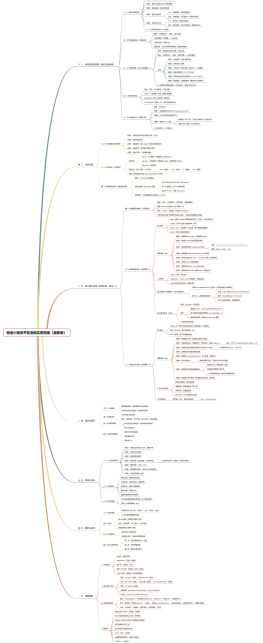
app.js
App
onLaunch
onShow
onHide
other
app.wxss
<code style="box-sizing: border-box; -webkit-tap-highlight-color: transparent; -webkit-font-smoothing: antialiased; font-family: Consolas, 'Liberation Mono', Menlo, Courier, monospace; font-size: 0.85em; break-inside: avoid; direction: ltr; margin: 0px; padding: 0.2em; border: none; color: rgb(51, 51, 51); letter-spacing: 0.2px; orphans: 3; widows: 3; background-color: rgb(247, 247, 247);">App()</code><span style="color: rgb(51, 51, 51); font-family: 'Helvetica Neue', 'Hiragino Sans GB', 'Microsoft YaHei', 黑体, Arial, sans-serif; font-size: 14px; letter-spacing: 0.2px; line-height: 28px; orphans: 3; widows: 3;"> 函数用来注册一个小程序,指定小程序的生命周期函数</span>
设置全局样式
基础组件
表单组件
button
checkbox
input
radio
switch
label
picker
slider
textarea
form
navigator
url
redirect
hover-class
可识别转义字符,里面只能嵌套text组件
设置之后为在当前页面打开
微信API
网络
wx.request
wx.uploadFile
wx.downloadFile
wx.websocket
媒体
image
wx.chooseImage
wx.previewImage
wx.getImageInfo
record
wx.startReocrd
wx.stopRecord
voice
wx.playVoice
wx.pauseVoice
wx.stopVoice
audio
wx.playBackgroundAudio
wx.pauseBackgroundAudio
wx.stopBackgroundAudio
wx.seekBackgroundAudio
wx.getBackgroundAudioPlaerState
wx.createAudioContext
file
wx.saveFile
wx.getSavedFileList
wx.getSavedFileInfo
wx.removeSavedFile
video
wx.chooseVideo
wx.createVideoContext
数据
wx.setStorage
wx.getStorage
wx.removeStorage
wx.getStorageInfo
wx.clearStorage
wx.setStorageSync
位置
wx.getLocation
wx.openLocation
设备
wx.getNetworkType
wx.getSystemInfo
wx.onAccelerometerChange
wx.onCompassChange
wx.makePhoneCall
页面
wx.showToast
wx.hideToast
wx.showModal
wx.showActionSheet
wx.setNavigationBarTitle
wx.navigateTo
wx.redirectTo
wx.navigateBack
animation
canvas
接口
wx.login
wx.hideKeyboard
wx.stopPullDownRefresh
wx.checkSession
wx.getUserInfo
wx.requestPayment
需要了解