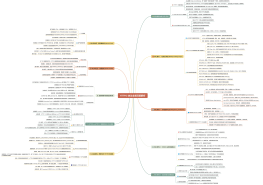
5 增加监控
5.1 Host配置
5.2 Item属性
5.3 Item类型
5.3.1 Zabbix Agent类型
5.3.2 SNMP类型
5.3.3 IPMI类型
5.3.4 日志文件监控
5.3.5 计算型Item
5.3.6 Zabbix内部监控
5.3.7 ssh类型Item
5.3.8 Telnet类型Item
5.3.9 External Check类型Item
5.3.10 Aggregate类型Item
5.3.11 Trapper类型Item
5.3.12 JMX类型Item
5.3.13 ODBC类型Item
5.4 Item历史数据History和Trends
5.5 使用Application对Item分组
5.6 Item Key详解
5.7 Template模板
5.7.1 新建和配置一个Template
5.7.2 建立/取消Host和Template的关联
5.7.3 修改Template
5.7.4 Template和Host
5.7.5 Template之间的父子关系
5.8 Clone、Full Clone和Mass Update
5.9 Windows监控
5.10 VMware监控
5.11 Zabbix监控性能
6 报警配置
6.1 Triggers
6.1.1 配置Triggers
6.1.2 Trigger expression
6.1.3 Function详解
6.1.4 Trigger依赖
6.1.5 Trigger等级
6.1.6 单位
6.2 Events
6.3 Actions
6.3.1 Action
6.3.2 Operation
6.3.3 Condition
6.3.4 Escalations
6.3.5 Unsupported状态的Items的报警
6.4 Media类型
6.5 Maintenance状态
9 IT services服务监控与Web monitoring网络监控
9.1 Services服务监控
9.2 服务配置
9.3 Web monitoring网络监控配置
9.4 监控百度示例
10 Zabbix前端界面
10.1 Monitoring板块
10.1.1 Dashboard栏目
10.1.2 Overview栏目
10.1.3 Web栏目
10.1.4 Latest data栏目
10.1.5 Triggers栏目
10.1.6 Events栏目
10.1.7 Graphs&Screens&Maps栏目
10.2 Inventory板块
10.3 Reports板块
10.4 Configuration板块
10.4.1 Host groups栏目
10.4.2 Template栏目
10.4.3 Hosts栏目
10.4.4 Maintenance栏目
10.4.5 其他
10.5 Administration板块
10.5.1 General栏目
10.5.2 DM栏目
10.5.3 Authentication栏目
10.5.4 Users栏目
10.5.5 Media types栏目
10.5.6 Scripts栏目
10.5.7 Audit栏目
10.5.8 Queue栏目
10.5.9 Notification栏目
10.5.10 Installation栏目
10.6 前端配置
10.6.1 全局配置参数
10.6.2 前端维护状态显示
10.6.3 Profile设置
10.7 全局搜索框
11 Discovery
11.1 基于网络的Discovery
11.2 Discovery的一个例子
11.3 Discovery Rule和Discovery Action的配置
11.4 存活Agent自动加入监控
11.5 low-level discovery