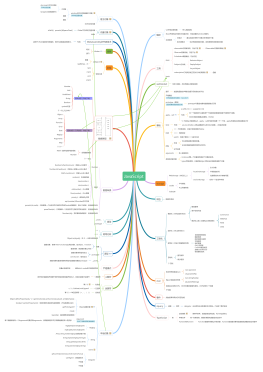
字符串
String.indexOf(searchValue,start)
String.charAt(index)
String.substr(start,legth)
String.subString(from,to(不包括))
String.slice(start,end(不包括))<br>
String.split(seperate,limit(字符串数组最大长度))<br>
String.replace(searchValue,newValue)
String.valueOf()
String.trim()<br>
String.toString()
String.charCodeAt(num1,num2,...,numX)
String.fromCharCode(n1,n2,...,nX)
String.concat(String1,String2,..,StringX)
String.includes(searchValue,start)
String.lastIndexOf(searchValue,start)
String.match(regexp)
String.repeat(count)
String.search(searchValue(字符串/正则表达式))
String.starWith(searchValue,start)
String.tolowerCae()
String.toUpperCase()
String.toLocaleLowerCase()
String.toLocaleUpperCase()
数组Array<br>
<span style="font-size: inherit;">arr.push(item1,item2....,itemN)</span><br>
arr.pop()<br>
arr.unshift(items1,items2,....,itemsN)
arr.shift()<br>
arr.splice(index,howMany,items1,items2...itemsN)<br>
arr.slice(start,end)<br>
arr.sort(function(a,b){retrun a-b;})<br>
arr.reverse()
arr.join(可选:separate(分隔符))<br>
arr.toString()<br>
arr.concat(array1,array2,...,arrayN)
arr.valueOf()
arr.indexOf(items,start(可选))
arr.lastIndexOf(items,start(可选))
arr.forEach(function(currentValue(必选),index,arr),thisValue)<br>
arr.map(function(currentValue(必选),index,arr),thisValue)
arr.filter(function(currentValue(必选),index,arr){},thisValue)
arr.some(function(currentValue(必选),index,arr){},thisValue)
arr.every(function(currentValue,index,arr){},thisValue)
arr.reduce(function(total,currentValue,currentIndex,arr){},initialValue)<br>
arr.reduceRight(function(total,currentValue,index,arr){},initalValue)<br>
正则表达式
| 表示或
[] 表示或
[^ ] 找除了。。。还是否有其它的东西
量词
字符串和正则相关方法
转义字符
\w表示任意的字母,数字 _
\W除了字母,数字 _
\d 任意数字
\D 除了数字
\s 空格
\S 除了空格,是否还有其他
\b 单词边界
\B 除了单词边界
DOM元素的操作
增
创建:createElement("标签名")
创建:createDocumentFragment()
创建:createTextNode("文本内容");
插入最后:dom(元素节点).appendChild(对象/节点);
插入指定位置:insertBefore(newNode,existNode)
删
当前元素节点.remove()
父元素.removeChild(要删除的子元素)
选择器
元素节点选择器
document.getElementById("id");
document.getElementsByClassName("class");
document.getElementsByTagName("tag");
document.getElementsByName("name");
querySelector("#id/.clas...")
querySelectorAll("css");
previousElementSibling
nextElementSibling
children
firstElementChild
lastElementChild
parentNode
其他节点选择器
返回值为单个对象
firstChild
lastChild
previousSibling
nextSibling
返回值为伪数组
childNodes
attributes
其他类型操作
样式操作
获取:getComputedStyle(对象,false(伪类).样式名)
获取:元素.style.样式名(只能获取行内元素)
设置:元素.style.样式名=“属性值”;
容器尺寸类操作:
clientWidth(cont+padding)
offsetWidth(cont+padding+border)
scrollHight(cont+padding+可滚动区域)
offseTop/left(相对于包含块的位置)
offsetParent包含块
scrollTop滚动距离,既可获得又可以设置
属性操作
内置属性:可以用使用对象的操作语法来设置
自定义属性:get/set/removeAttribute()