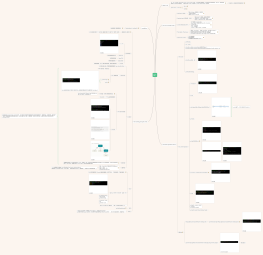
What is Git.
Git - fast, scalable, distributed revision control system Git 是一个分布式版本控制系统,它以快照方式记录项目历史,用 SHA-1 哈希寻址存储对象,并支持多人高效协作。 从根本上来讲 Git 是一个内容寻址(content-addressable)文件系统,
Git 诞生于一个极富纷争大举创新的年代
Open Source + GPL v2
GPL v2
GUN
The core concepts of Git
Distributed(分布式)
每个 git clone= 完整仓库 + 全部历史
不依赖中央服务器
离线可 commit / log / diff
Snapshot-based(基于快照,非 diff)
每次 commit= 项目某一时刻的 完整快照
未修改文件 → 复用已有对象(Blob)
物理上 Git 会做 delta 压缩,但逻辑上是快照
Content-Addressed (SHA-1)
Git 内部是 key–value store
Key = SHA-1(现逐步支持 SHA-256)of content
三种核心对象:
Blob → 文件内容
Tree → 目录结构
Commit → 快照 + parent + metadata
Three States / Three Areas
已提交(committed)、已修改(modified) 和 已暂存(staged)。
Modified-Working Directory-你改了文件,但未 add
Staged-Staging Area (Index) -已 git add,等待提交
Committed-Git Repository (.git/)-已 git commit,安全存入历史
Append-Only & Safe
几乎只追加数据
提交后极难丢失
任何数据损坏可被校验发现(SHA-1)
The basic operations of Git
Initial code
git help log
git --version
git config --global user.name "你的名字"
git config --global user.email "你@example.com" git config --global --list
git config --global --list
分支主题
git help <verb>
first commit-Operation
git init
echo "Hello Git" > README.md
分支主题
git status
git commit -m "Initial commit"
分支主题
git switch --detach c3a9b2f
# 或老命令
git checkout c3a9b2f
git switch master # 或 git checkout master
远程仓库
https://github.com/ruanzhenhua73-creator/git_test
git remote add origin https://github.com/ruanzhenhua73-creator/git_test
分支主题
git clone https://github.com/ruanzhenhua73-creator/git_test.git cowork_project
Installation
Getting Started - Installing Git
AI建议配置(基本都是默认)
The working principle of Git
底层命令与上层命令
Git 的上层命令是为“人”设计的,底层命令是为“Git 自己”和“程序”设计的
核心组成部分
refs 目录
存储指向数据(分支、远程仓库和标签等)的提交对象的指针
Git 对象
Git 的核心部分是一个简单的键值对数据库(key-value data store)
Blob(数据对象)—— 存文件内容
Blob 只存内容,不存文件名
git hash-object
cat-file
tree object 树对象
Tree 就是“把 Blob 组织起来的方式”
echo "Hello Git" > README.md
git hash-object -w README.md
一次 commit = 一个 Tree 指向项目根目录
提交对象
若想重用这些快照,你必须记住所有三个 SHA-1 哈希值。 并且,你也完全不知道是谁保存了这些快照,在什么时刻保存的,以及为什么保存这些快照。 而以上这些,正是提交对象(commit object)能为你保存的基本信息。
对象存储
内容 = "blob 内容长度\0文件内容"
SHA-1 → key
内容 zlib 压缩 → 写入
.git/objects/ab/cdef1234...
**Git 对象最初以松散格式(zlib 压缩 Blob/Tree/Commit)存在 .git/objects,
随后通过 git gc打包成 packfile(delta 压缩),用索引保证仍可按 SHA-1 精确还原——这就是 Git 对象存储的全貌。**
分支
Git 分支只是指向某个 Commit 对象的轻量指针(40字节文件),不是目录拷贝,不是代码副本。
git log --oneline --decorate --graph --all
分支快照
git checkout testing
# 新版 Git 推荐:
git switch testing
git checkout -b dev
# 或
git switch -c dev
每次 commit并不会“创建分支”,而是“让当前分支往前走一步”。
引用
.git/refs/heads/master
包文件
**Git 刚 commit时用“松散对象(loose object)”存 Blob/Tree/Commit;
当对象多了或执行 git gc/ push时,Git 会把多个松散对象打包成“包文件(packfile)”,用 delta 差异压缩存,大幅省空间。**